Targets
A target is a machine Prosperous knows how to reach: a name, an address, and any ports that differ from the defaults. Every other command takes one as its subject. Registering and reading a check are introduced in getting started.
Registrations
| Command | Window | Does |
|---|---|---|
pros register <address> --name <name> |
target > register... | remember an address under a name (the name defaults to
prospero) |
pros register <new-address> --name <name> |
target > edit this target... | change a target's address; its name, ports and chain are kept |
pros list |
the target list in the sidebar | show what is registered |
pros forget <name> |
target > forget this target | remove a registration |
| target > reload registrations | re-read targets.txt after editing it by hand |
--name picks the target for any command. With exactly
one registered it can be left out; with several, a command without it
lists them and stops.
The registry file
targets.txt in the data directory (getting started) holds one target per line
and is meant to be edited by hand:
# name       address         overrides
living-room  192.168.1.211
lab 192.168.1.40 ftpsrv=2122 chain=mineservice=portreplaces that service's port for this target, for checks and transfers alike. A word not inservice=portform is ignored rather than guessed at.chain=<name>names the startup chain the target is meant to run, so the check screen does not report as missing what that chain provides.- A line starting with
#is a comment.
The check
pros check asks every service and prints what each one
unlocks, then a verdict. The table and verdicts are explained in getting started.
pros check --fix--fix sends each missing service that the manifest
describes and that is already staged here, then checks again. It
downloads nothing and leaves the boot list alone; a service not staged
here is named with the command that would fetch it (payloads).
In the window, the check section shows the same table under check again. Above it is the startup audit: each finding about the payload chain, worst first, with the action that answers it. fix... and fix all draw the whole plan step by step, including steps already done; nothing happens until do these N is pressed, and not now drops it. A plan that changes the startup list prepares the edit on the autoload screen, where the whole file is shown before it is written (payloads).
deploy chain... sets a target up from nothing: choose a chain and where it goes, read what the target would end up with, then agree to it.
The system report
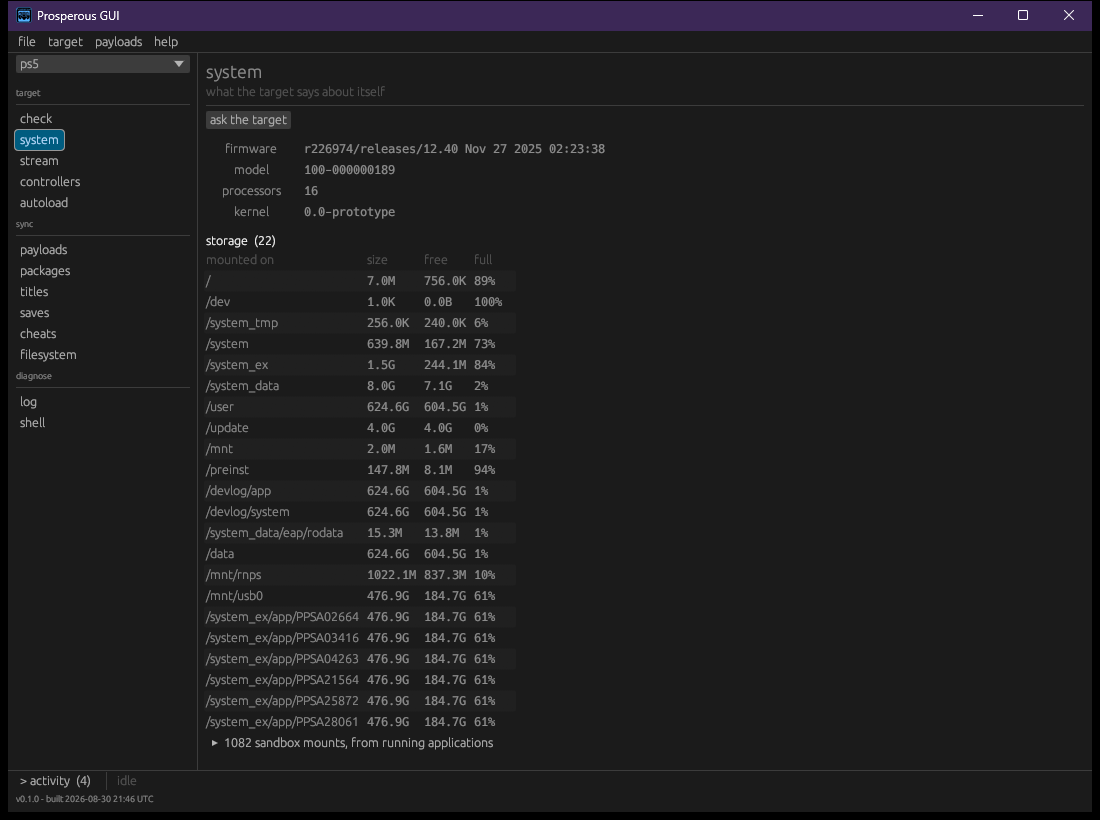
The system section asks the target what it is: its facts, its storage (with the sandbox mounts of running applications folded away), and what is running. ask the target reads it again. The process list and its controls are described in titles.